Step 3: Stake ETH into a Vault
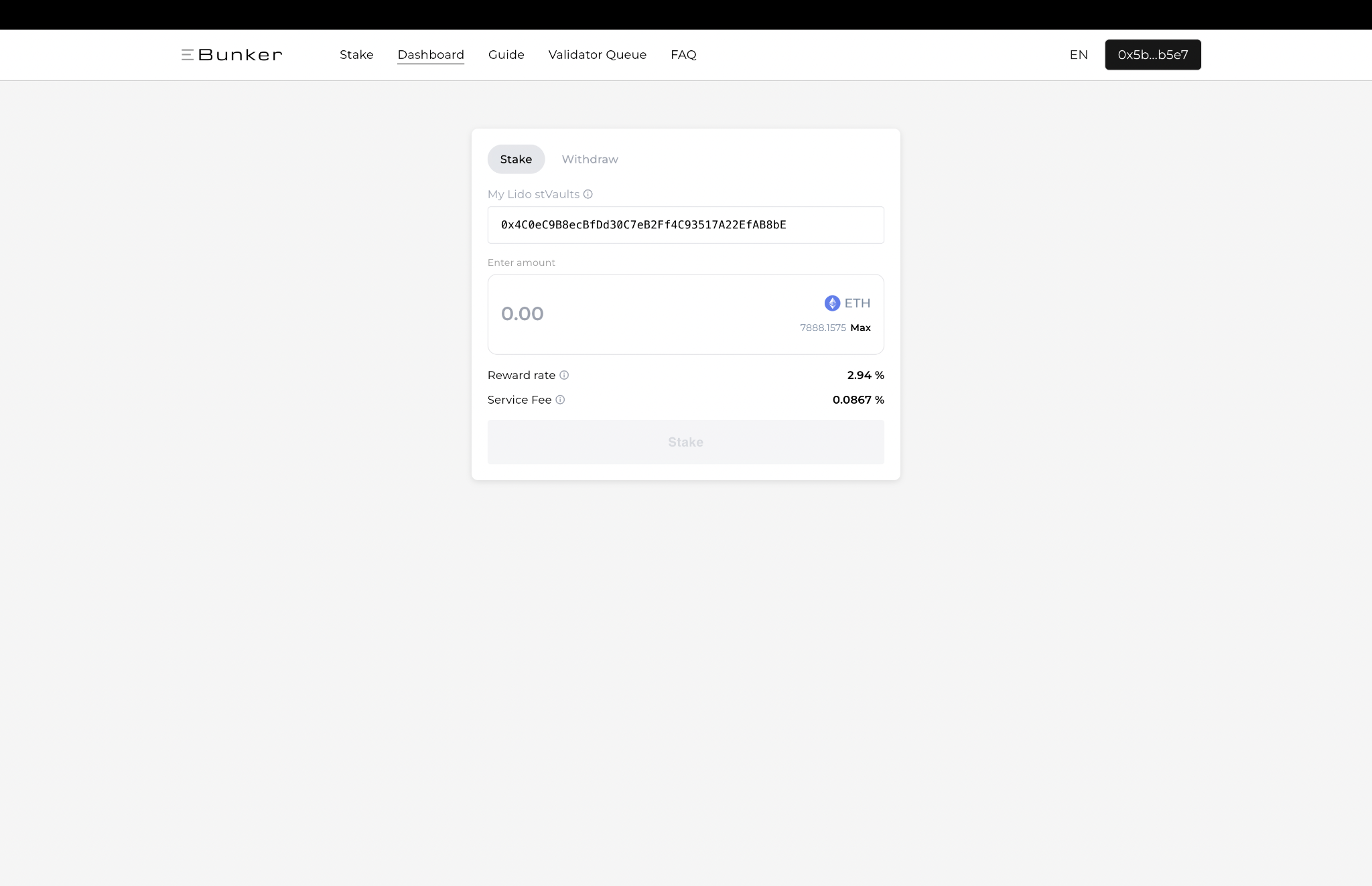
Stake deposits ETH from your connected wallet into the selected stVault.
- From My Vaults, locate the vault you want to fund and click Stake.
- Confirm that the displayed stVault address is the vault you intend to use.
- Enter the amount of ETH you want to deposit. You can use Max to reference your available wallet balance.
- Review the displayed Reward rate and Service Fee.
- Click Stake and confirm the transaction in your wallet.
After the transaction is confirmed, the deposited ETH will be reflected in the vault's Total ETH balance.